Private AI voice notes for iPhone
Short answer: Mmory is an iPhone app for speaking short notes and asking about them later. Transcription and answers happen on your iPhone, your memories are stored there, and Mmory has no server that receives them. A few things do use the internet, such as model downloads and sign-in, and none of them carries your memories.
What you can do with it
- Hold to speak, or type. Mmory saves the thought as a memory.
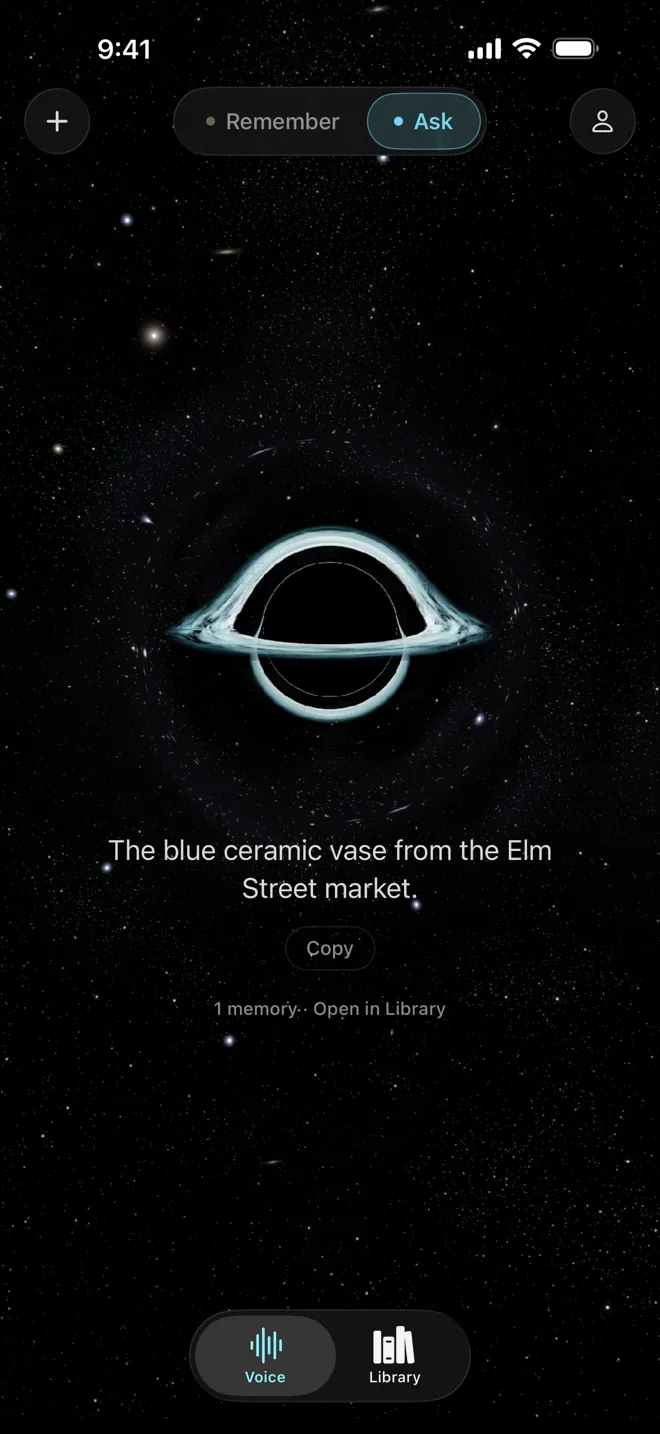
- Later, ask in your own words, by voice or by typing: “Where did I park?” or “What restaurant did Sarah recommend?”
- Read the answer with the saved memories it came from.
- Say “remind me” with a time to set a reminder.
- Open it already recording from a Home Screen widget or a Lock Screen control.
What stays on your iPhone
- Recordings are kept in the app's private storage and left out of iCloud and computer backups. Audio leaves the phone only if you choose Share Audio.
- Transcripts are produced on the iPhone and stored there.
- Answers are generated on the iPhone. Your memories are not sent anywhere to be processed.
- Training: your recordings, transcripts and memories are not used to train AI.
- Tracking: no ads, no advertising identifier, and no analytics or crash-reporting services.
- Listening: Mmory records only when you ask it to. It isn't an always-on recorder.
What does connect to the internet
“Private” here does not mean “never online”. These are the connections Mmory makes, and none of them carries your memories:
- Model downloads. After you install it, Mmory downloads a speech model (about 60 MB) and, on iPhones that can run it, a private AI model (about 660 MB) from Hugging Face. iOS may also download Apple's own speech resources.
- Sign-in service. The app contacts Clerk when it opens, even if you never make an account, with technical information such as a device identifier, device model and app version. An account is optional.
- Subscriptions. RevenueCat checks whether Mmory Pro is active.
Transcript text is part of the app's data, so if you use iPhone backups, Apple includes it in your own backup. Mmory has no sync of its own. The privacy policy has the full detail, including what is linked to an account if you create one.
Limits worth knowing
- iPhone only, iOS 18 or later, English only.
- Each recording stops at 5 minutes, so it does not suit lectures, meetings or long dictation.
- It can't import existing recordings.
- There is no sync and no way to export everything at once. You can copy a memory's text, or select several recordings and share them together. If you lose the phone, recordings go with it.
- Answers come only from what you saved, and they can miss things or be wrong. That's why the sources are shown.
Other private options
Other apps also work on the device, and for some jobs they're the better choice:
- Whisper Notes (one-time purchase) says it transcribes offline on your device. It imports audio and video and adds speaker labels, which Mmory doesn't do.
- Aiko (one-time purchase) transcribes with Whisper on the device, and covers far more languages than Mmory.
- Apple's Voice Memos is free and built in.
These descriptions come from each app's App Store page on 3 November 2026. Mmory's focus is narrower: short spoken notes you can ask questions about, with the answer showing where it came from.
What it costs
Free for 50 saves a month, spoken and typed together. Asking never uses a save. Mmory Pro has unlimited saves at launch prices of $3.99 a month, $29.99 a year or $99.99 once. The App Store shows the price for your country.